

Table of Contents
- Bringing Preventive Care Beyond Fixed Clinics
- Gather Need, Travel, and Delivery Information
- Turn Local Inputs Into a Dated Planning Map
- Choose Communities, Then Confirm Clinic Stops
- Trace a Request for Later Visit Hours
- Check Before Cutting
- Record the Next Stop
Bringing Preventive Care Beyond Fixed Clinics
Mobile health services have long brought care to communities separated from fixed clinics by distance. Traveling nurses, followed by converted vans and buses carrying screening equipment, took services closer to families. Planning a rural route continues that work: connecting people with preventive care they can actually reach.
Today, planners can bring geographic information, regional health indicators, community requests, and vehicle availability into one repeatable process. A data pipeline collects, checks, combines, and updates that information so each planning cycle asks the same questions.
The practical questions stay close to family health. Where would well-child visits help? Which roads can the vehicle use? When can residents attend? Which staff and supplies are available? A useful pipeline keeps these questions connected while preserving the distinction between community need and delivery capacity.
Gather Need, Travel, and Delivery Information
Organize each input around the decision it supports. Give it an update trigger, too: a regional indicator and a host site's parking arrangements change on different schedules.
| Planning input | Decision it informs | Update trigger |
|---|---|---|
| Regional preventive care indicators | Which services deserve priority, such as childhood immunizations or adult screenings | A new regional release |
| Road access and travel times | Vehicle reachability and residents' journeys to existing care | Seasonal conditions or a reported road closure |
| Community requests | Preferred locations, services, and hours | Each planning cycle and new requests |
| Staffing, supplies, and vehicle schedules | What the clinic can deliver and when | Before scheduling and again before departure |
Keep the meaning of each input visible. Regional indicators describe populations within an area. Appointment records describe people already served. Locally reported concerns describe barriers or preferences that may sit outside either record.
A request for evening appointments, for example, tells planners something different from an area's screening rate. Keep both available when comparing possible stops.
Turn Local Inputs Into a Dated Planning Map
Standardize records before combining them. Otherwise, different spellings of the same community hall can become separate proposed stops.
- Collect inputs. Gather regional indicators, road information, community requests, host-site details, and delivery schedules.
- Standardize fields. Use consistent entries for reporting period, service type, geographic boundary and version, host-site address, available visit hours, and update owner. Assign ownership to a specific role.
- Check records. Review blanks, implausible dates, and duplicates. Match standardized host-site address, service type, and reporting period; send near-matches to a person for review.
- Assign geographic areas. Reconcile boundary versions and reporting periods before comparing communities. Calendar-year information and a midyear reporting period need separate labels.
- Combine planning layers. Bring need, travel access, and capacity into the same view while keeping each layer distinguishable.
- Publish a dated view. Display the information date and identify who will refresh affected records when conditions change.
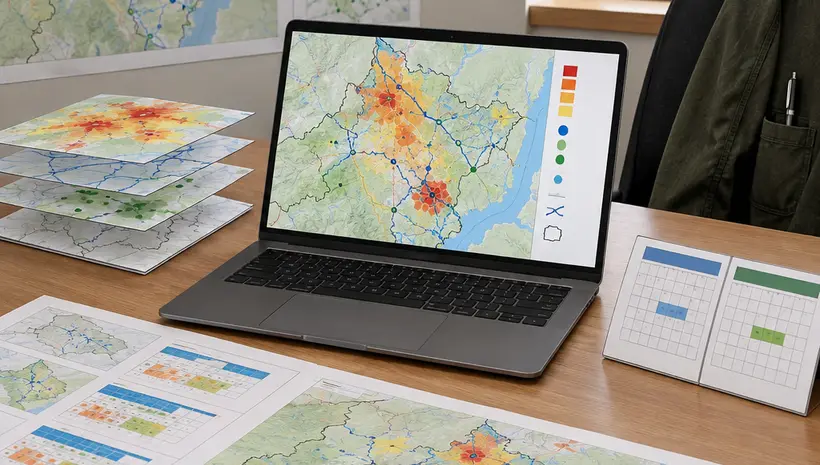
Keep identifiable patient records in a restricted system. The route-planning view uses host-site addresses and area-level counts, with small counts suppressed under the applicable publishing rule. In sparsely populated areas, combine neighboring areas or show only the presence of a service gap when aggregated counts could identify families.
The update trail should explain the operational consequence. If a host site closes its lot on Wednesdays, change its available hours and remove that Wednesday option from the planning view.
Choose Communities, Then Confirm Clinic Stops
Separate prioritization from feasibility. First compare unmet preventive care needs, travel burden, community preferences, and existing service availability. Keep those factors visible side by side so planners can explain why a community merits consideration.
Then check whether the proposed stop can deliver the intended services on the proposed day.
- Vehicle access: Confirm a level lot, turning room, clearance, and a surface the unit can use after rain.
- Accessible boarding: Check the lift or ramp and the step-free path leading to it.
- Consultation privacy: Confirm an enclosed space inside the vehicle or a suitable private room at the host site.
- Staffing and supplies: Match available clinicians, support staff, vaccines, and screening supplies to the advertised services.
- Referral arrangements: Name the fixed-site destination and the person responsible for follow-up after an abnormal screening result.
- Operating hours: Agree on opening and closing times, restroom access, and required utilities with the host.
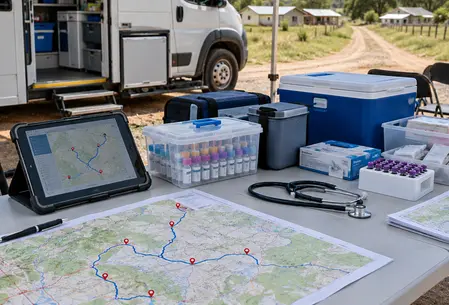
Route efficiency also needs a family-facing check. A short loop that arrives while residents are working may be less usable than a revised sequence with a later visit window. Compare arrival times with community preferences before confirming the schedule.
Trace a Request for Later Visit Hours
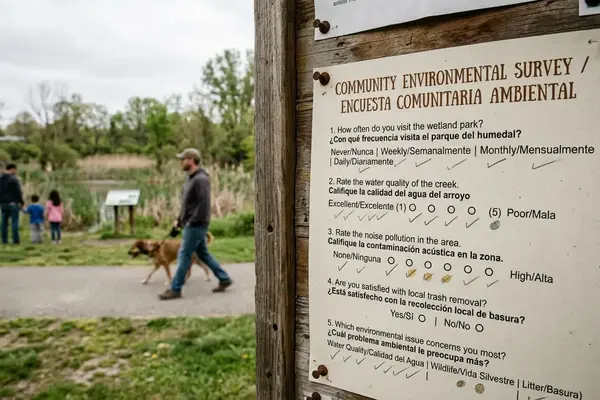
In this illustrative scenario, residents of an unnamed rural community request well-child visits and blood pressure checks at more convenient times. Their current clinic window overlaps agricultural work.
The coordinator logs the request date, community area, requested services, and timing barrier. A geographic review checks regional indicators, travel to fixed-site care, and whether the existing stop already offers those services.
The request points first toward hours. The coordinator asks the current host whether the lot and building can remain open later, then checks clinician coverage, support staffing, and the return drive. These checks establish whether the existing destination can accommodate the proposed change.
Once confirmed, the revised schedule goes through channels residents named, such as a school notice or a flyer at the host site. Afterward, the planning record captures completed services in aggregate, referral ownership, cancellations and their reasons, and feedback for the next cycle. Health programs can use that feedback to shape both visit schedules and the wellness education offered alongside care.
Check Before Cutting
Low attendance can reflect access barriers rather than low need, so verify it with community feedback before reducing visits.
- Did notices reach residents through channels they use?
- Did the visit overlap work, school pickup, or seasonal labor?
- Could residents reach and enter the site during posted hours?
- Did the offered services match local priorities?
Record any adjustment to hours, location, frequency, or services, along with its reason, approver, and next review point.
Record the Next Stop
Use one dated decision record to connect need, access, delivery capacity, scheduling, and community experience. Keep these fields together:
- Proposed host-site address and service area
- Intended services
- Date the underlying information was refreshed
- Community input, including its date and channel
- Site readiness: parking, accessibility, privacy, and utilities
- Named responsible coordinator
- Next review date or trigger, such as a road, staffing, or host-site change
Create a decision record for one proposed clinic stop and assign someone to confirm its location, service needs, and visit hours.










Add a Comment